|
BurnSim 3.0
The next version is coming!
Home |
About |
Contact Me |
Download |
Activation |
Purchase |
Announcements List |
Wiki
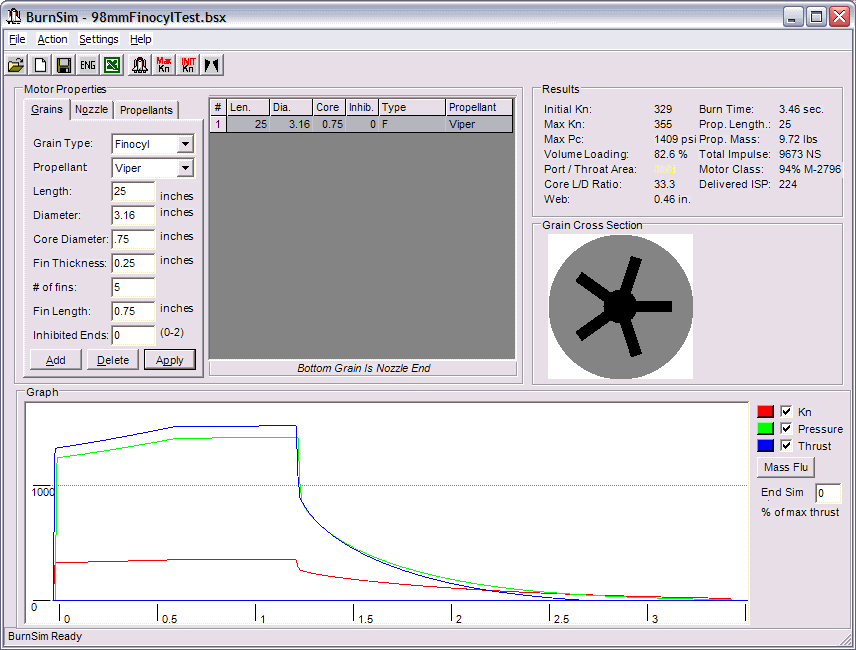
Work on BurnSim 3.0 is progressing steadily. A screenshot of the current build is below. New features implemented in the current build include:
- Graphic display of propellant grains
- Ability to mix grains of different propellant type
- Vary a, n, and ISP* for different pressure ranges
- UI changes and miscellaneous bug fixes
- Keep notes on specific propellants and motors
- Import test data and graph it alongside sim data for comparison, imported data saved to the motor for later use
Features still in development and under consideration for release in Burnsim 3.0:
- Graphical iteration of burn progression, allowing for any 2D grain design
- Support for erosive burn rate augmentation
- Reverse characterization of propellant from test burn pressure data
Be sure you're subscribed to the BurnSim Announcements List
to get the latest news on the upcoming BurnSim release.
|